Export Channel Members to CSV
Download a complete list of all channel members including names and email addresses. Perfect for compliance reporting, audits, and member management.
Free for workspace admins · Instant CSV download · Full member details
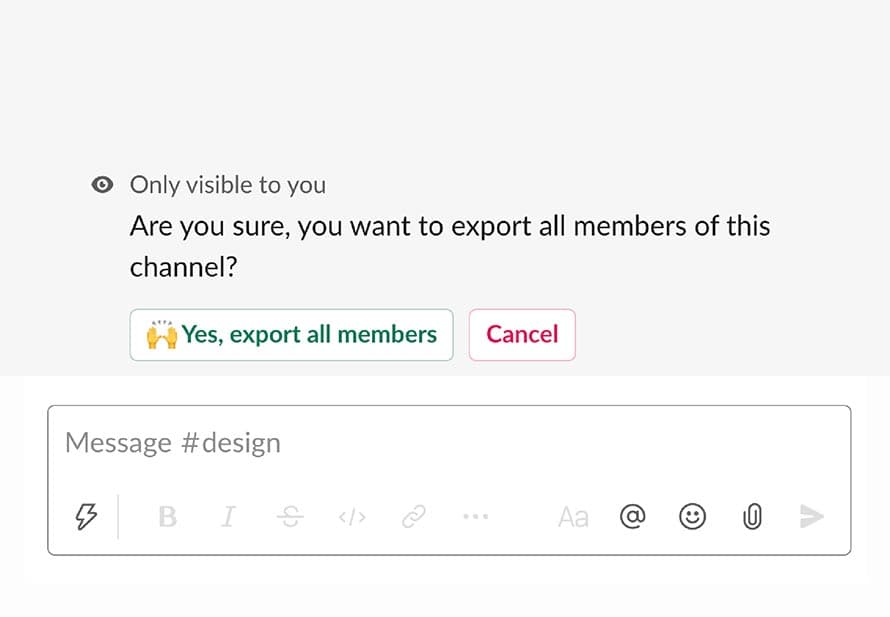
The /export_members Command
Generate instant CSV exports of channel members with complete details including names, usernames, and email addresses. Essential for compliance, reporting, and administrative oversight.
Complete Member Data
Get names, usernames, email addresses, and user IDs in one clean CSV file.
Admin-Only Access
Secure feature restricted to workspace admins for data privacy and compliance.
Instant Download
CSV files are generated immediately and ready to download in seconds.
Why Export Member Lists?
Essential use cases for downloading channel member data
Compliance & Auditing
Document channel membership for compliance audits, regulatory requirements, and internal governance policies.
Reporting & Analytics
Analyze channel participation, track team composition over time, and generate executive reports on workspace usage.
Email Campaigns
Export member emails for targeted communications, newsletters, or announcements outside of Slack.
Migration Planning
Prepare for workspace migrations or reorganizations by documenting current channel structures and membership.
Team Management
Keep offline records of project teams, working groups, and department rosters for HR and administrative purposes.
Access Reviews
Periodically review who has access to sensitive channels and ensure proper membership controls are maintained.
What's In The Export?
Your CSV file includes all essential member information
Included Data Fields:
Display Name
The full name each user has set in their Slack profile
Username
The unique @username for each member
Email Address
Primary email address associated with the Slack account
User ID
Unique Slack identifier for programmatic use
CSV Format
Standard CSV compatible with Excel, Google Sheets, and databases
UTF-8 Encoded
Properly handles international characters and special symbols
Security & Privacy
We take data protection seriously
Admin-Only Feature
The /export_members command can only be executed by workspace admins and owners, ensuring sensitive email data is protected and only accessible to authorized personnel.
No Data Storage
Channel Tools doesn't store your exported member data. The CSV is generated on-demand and delivered directly to you without any retention on our servers.
Audit Logging
All export actions are logged in your Slack workspace's audit logs (on eligible plans), providing full transparency and accountability for data access.
GDPR Compliant
Our export feature complies with GDPR and data protection regulations. As a workspace admin, you're responsible for handling exported data appropriately.
Frequently Asked Questions
Why is this command admin-only?
Email addresses are considered sensitive personal data. Restricting this feature to admins ensures compliance with data protection regulations and prevents unauthorized access to member contact information.
Can I export from multiple channels at once?
Currently, you need to run /export_members in each channel separately. However, each export only takes seconds, making it easy to gather data from multiple channels quickly.
What if a member doesn't have an email on file?
If a user hasn't provided an email address in their Slack profile, that field will be empty in the CSV. All other information (name, username, ID) will still be included.
Can I schedule automatic exports?
Not currently. Exports are on-demand only via the /export_members command. This ensures admins have full control over when and how member data is accessed.
Streamline Your Admin Workflows
Get the member data you need for compliance, reporting, and management
Add to SlackFree for admins · Instant CSV exports · Secure & compliant