Slack Channel Invites and
Exports
The #1 loved tool by Slack admins. Bulk invite all members to any channel in seconds. Say goodbye to hours of manual invites. Export a clean CSV of members with names and emails. Channel Tools handles it all.
20,000+ teams · Slack admins swear by it
Finally, Channel Management You'll Actually Love
Creating new channels and inviting people? It's the #1 headache for Slack admins. That tedious, time-consuming task that everyone dreads. Channel Tools turns it into a one-command celebration. No wonder admins swear by it.
Hours Back, Every Week
What used to take hours now takes seconds. No more repetitive clicking or manual invites.
Built for Big Teams
Invite 1K, 10K, or more members without timing out or babysitting progress.
Channel Setup Made Joyful
Creating new channels is no longer a dreaded task. It's now the easiest part of your day.
The #1 Problem in Slack, Solved Forever
Creating new channels and inviting people is every Slack admin's biggest headache. Channel Tools doesn't just fix it—it makes it effortless. That's why admins don't just use it, they swear by it.
From Dreaded Task to Celebration
Channel Tools gives me back hours every week. Setting up a new channel used to be something I'd put off. Now? I actually enjoy it.
— This is what admins tell us, almost word-for-word
Join the admins who've already transformed their Slack workflow
Add to Slack
Trusted by Slack-first Teams Worldwide
20,000+ teams - from startups and large enterprises to universities - rely on Channel Tools to bulk invite members between channels without manual invites.

































Features
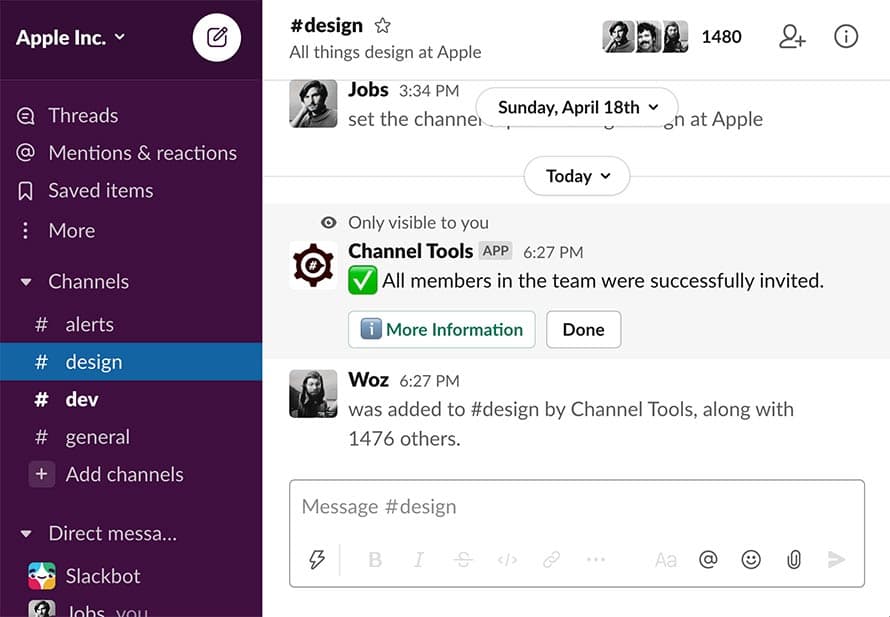
Invite everyone in the team to a channel
Add every user in your Slack workspace to a channel in a single command. /invite_all is perfect for launches, announcements, or onboarding. It runs in seconds.
Learn more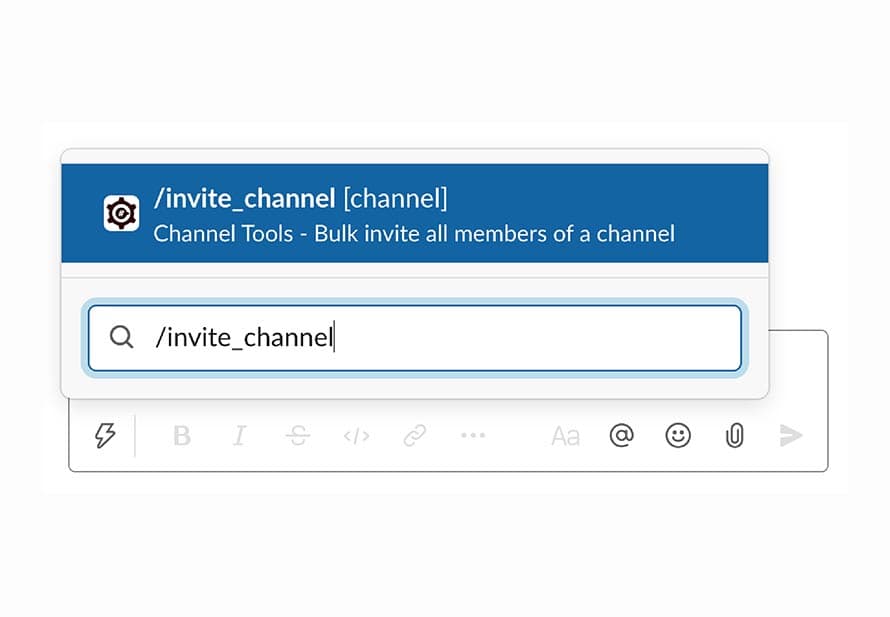
Invite all members of a channel
Add everyone from one channel to another without retyping a single name. /invite_channel makes channel migrations painless.
Learn more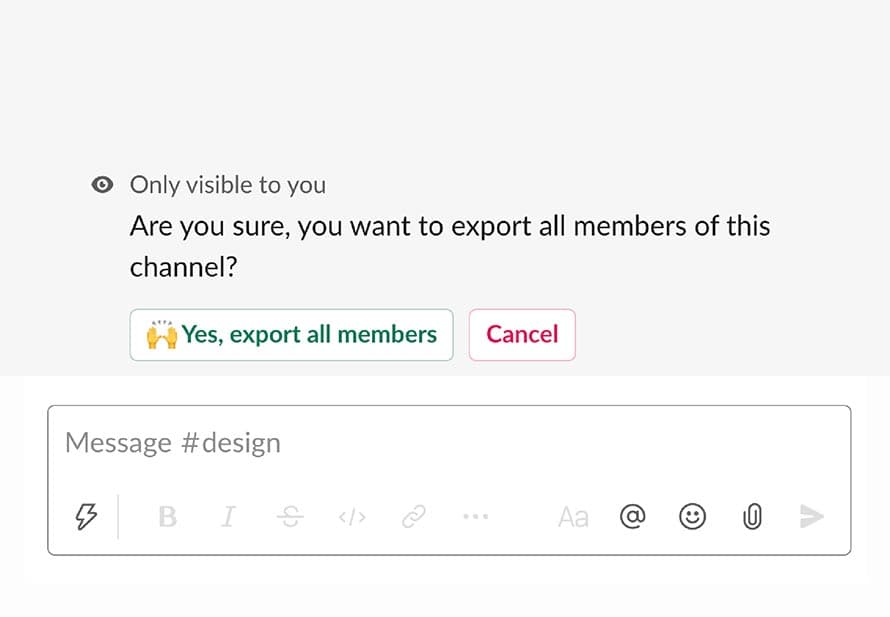
Export all members of a channel
Pull a CSV of channel members with names, emails, and more with /export_members. Admin-only for compliance, audits, or handoffs.
Learn more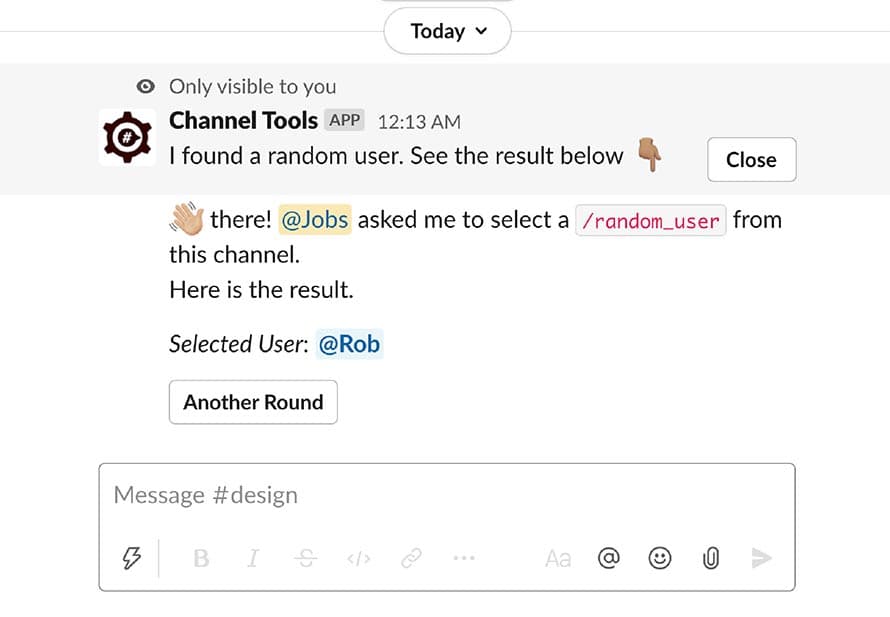
Randomly pick a member from a channel
Assign tasks, raffle prizes, or pick presenters fairly. /random_user does the choosing for you.
Learn more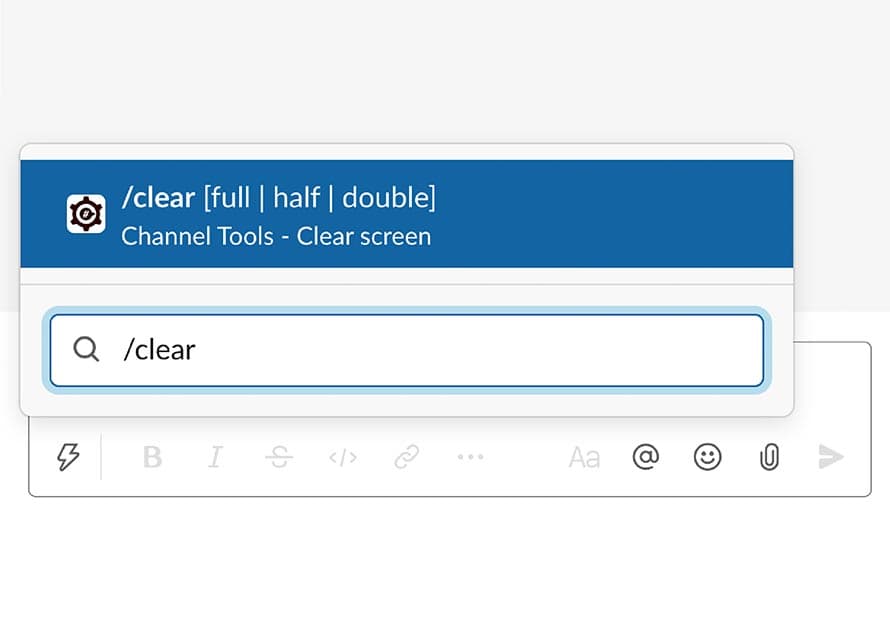
Clear screen of a channel
/clearcommand makes some breathing space by clearing the screen of a channel. It doesn't delete any message, but sends a blank message that takes up the entire height of the channel.
Learn moreIt's free, no credit card required
Slack Admins Swear By It
From dreaded task to daily celebration. Hear from Slack users who got their time back

Have been struggling with #Slack administration for a while; for example, inviting all members to a new channel involved some manual labor. Luckily, Channel Tools extension came to the rescue.

Came to learn about @SlackHQ Channel Tools Plugin while prepping for a demo. Was looking for quick way to "clear" the screen on a specific channel. This is what I was looking for. It even includes /clear command!

How to bulk add all members to a Slack channel? There is a better way to do it, Channel Tools!

"This is an awesome tool! I use this tool to quickly add my members to channels in an efficient way. It also helps with engagement when I run the tool in my channels.
I have 650+ people in the community so this was a no brainer when trying to getting my members into channels. Its also super fun to watch the counter as it adds members. I also recommend to another community manager and they liked it as well. Way to go! "
Stephen Vincent Casaceli II
Founder at PigeonHack
(A community for indie-makers to help with audience building, marketing, and sales)
Frequently Asked Questions
Channel Tools - we make bulk channel invites as easy as counting to 10
All the features offered with Channel Tools are free. No credit card required.
Join 20,000+ Teams Who Love Channel Tools
Stop dreading channel management. Start celebrating how easy it can be. Give your Slack admins the gift of time.
Free to install · no credit card needed